Treat every Laser247 APK as unverified until proven otherwise
Search pages may describe a Laser247 app as official or secure without publishing evidence. An APK hosted outside a recognised app marketplace bypasses some familiar review and update controls, so the burden of verification is higher.
Informational destination only. No account is created on this site.
247
VERIFY DOMAIN
PROTECT ACCESS
Before downloading
Confirm the publisherMatch the publisher identity to independently verifiable legal details.
Check the sourceA shortened link, chat attachment or mirror domain is not a trusted distribution chain.
Read permissionsQuestion access to SMS, contacts, accessibility services, screen capture or device administration.
Plan updatesUnknown update channels can replace an app later, even if the first file seems harmless.
✓
Permissions that deserve scrutiny
Permission
Possible risk
Safer response
SMS access
Exposure of one-time codes and messages
Deny unless essential and clearly explained
Accessibility service
Ability to observe or control other apps
Do not grant to an unverified app
Install unknown apps
Additional software can be added
Keep disabled after any legitimate use
Contacts and call logs
Unnecessary personal-data exposure
Reject when unrelated to the core function
!
No APK is hosted here
This site does not provide, mirror or endorse a Laser247 application file. We have not independently audited a Laser247 app, its code, permissions or update mechanism.
If you already installed an unknown file
Disconnect from sensitive activity, remove unusual device-administrator or accessibility access, uninstall the app, run the device's built-in security scan, review banking and email activity from a known-clean device, and change exposed credentials. Contact the relevant bank through its official number if payment information may be affected.
Before you continue
Identity, law and data come first.
Use the independent checks on this site before trusting a login, app, message or payment request.
A complete working method for Laser247 app and APK safety
Direct answer: The useful way to approach this topic is to slow the sequence down: establish the exact task, verify source, permissions and device security, calculate what could be exposed, and decide a stop rule before responding to an APK link, QR code or instruction to bypass a store warning. Treat every installer as unverified software until evidence supports it. This page is information; it does not create accounts, authenticate users, receive funds or confirm an operator.
The goal is assessing a mobile download without trusting the file name or icon. That requires more than recognising the Laser247 name. It requires a chain of evidence in which each important claim has an accountable source, each request has a clear purpose, and every personal limit remains effective even when a page or person creates urgency. When an answer cannot be verified, “not established” is more accurate than either trust or accusation.
Use the sections below as a worksheet for Laser247 app and APK safety. They organise terminology, actions, decision signals, mistakes and realistic situations around one practical rule: Treat every installer as unverified software until evidence supports it. They do not promise availability, legality, safety, winnings, withdrawals or operator conduct; such claims require current evidence independent of an APK link, QR code or instruction to bypass a store warning.
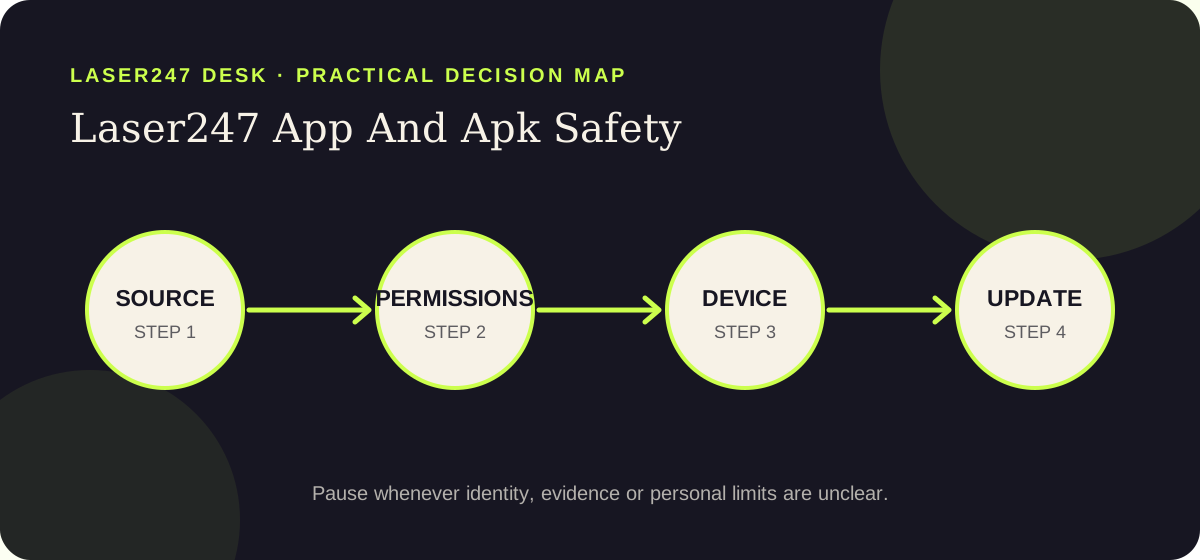
Laser247 Desk decision map: move from evidence to limits and stop whenever a material check remains unresolved.
Terminology
Words that matter when assessing Laser247 app and APK safety
In a Laser247 app and APK safety decision, familiar terms may carry a precise security, legal or financial meaning. These conservative definitions help a reader evaluate source, permissions and device security without allowing a promotional phrase or an APK link, QR code or instruction to bypass a store warning to stand in for evidence.
APK
An android application package that installs software and can request access to the device. In this Laser247 app and APK safety context, use the term precisely: ask who supplies the information, what can be checked, and what consequence follows if the assumption is wrong. Clear vocabulary keeps a persuasive label from doing the work of evidence.
Provenance
The traceable origin of a file, including who published it and how that identity was established. In this Laser247 app and APK safety context, use the term precisely: ask who supplies the information, what can be checked, and what consequence follows if the assumption is wrong. Clear vocabulary keeps a persuasive label from doing the work of evidence.
Permission
A device capability such as contacts, storage, notifications, camera or accessibility access. In this Laser247 app and APK safety context, use the term precisely: ask who supplies the information, what can be checked, and what consequence follows if the assumption is wrong. Clear vocabulary keeps a persuasive label from doing the work of evidence.
Hash
A file fingerprint that can reveal whether two files differ, but does not by itself prove either is safe. In this Laser247 app and APK safety context, use the term precisely: ask who supplies the information, what can be checked, and what consequence follows if the assumption is wrong. Clear vocabulary keeps a persuasive label from doing the work of evidence.
Sideloading
Installing software outside the device’s usual store or managed distribution route. In this Laser247 app and APK safety context, use the term precisely: ask who supplies the information, what can be checked, and what consequence follows if the assumption is wrong. Clear vocabulary keeps a persuasive label from doing the work of evidence.
Step by step
Five ordered checks for Laser247 app and APK safety
The order supports the goal of assessing a mobile download without trusting the file name or icon. Starting with an APK link, QR code or instruction to bypass a store warning lets another party control the route; starting with the task, source and limits keeps this Laser247 app and APK safety decision reversible until the important questions are answered.
Confirm the publisher
Trace the file to an accountable publisher through a separately verified route. A familiar icon, filename or message sender is not software provenance. For this Laser247 app and APK safety check, record what you inspected and which source supported it. If the answer depends only on an APK link, QR code or instruction to bypass a store warning, mark it unresolved instead of filling the gap with confidence.
Keep the warning enabled
Do not weaken device protection merely because an installation page tells you to. Security warnings are information to investigate, not obstacles to dismiss. For this Laser247 app and APK safety check, record what you inspected and which source supported it. If the answer depends only on an APK link, QR code or instruction to bypass a store warning, mark it unresolved instead of filling the gap with confidence.
Review permissions
Compare every requested capability with the app’s stated function. Accessibility, SMS, contacts, screen capture and device-administration access deserve particular caution. For this Laser247 app and APK safety check, record what you inspected and which source supported it. If the answer depends only on an APK link, QR code or instruction to bypass a store warning, mark it unresolved instead of filling the gap with confidence.
Protect financial apps
Assume the same phone may contain banking sessions, identity images and authentication messages. The consequence of a malicious installer can extend beyond one account. For this Laser247 app and APK safety check, record what you inspected and which source supported it. If the answer depends only on an APK link, QR code or instruction to bypass a store warning, mark it unresolved instead of filling the gap with confidence.
Plan removal and updates
Know how the app is updated, revoked and removed. If those routes depend on the same unverified sender, the control remains with that sender. For this Laser247 app and APK safety check, record what you inspected and which source supported it. If the answer depends only on an APK link, QR code or instruction to bypass a store warning, mark it unresolved instead of filling the gap with confidence.
Decision table
Turn Laser247 app and APK safety signals into specific responses
A signal matters when it changes behaviour. For Laser247 app and APK safety, the table avoids unsupported “safe” or “unsafe” labels and instead connects each observation about source, permissions and device security to a proportionate next action.
Signal
Why it matters
Safer response
Copied branding
An icon and screenshots are easy to reproduce in a harmful package.
Establish publisher and file origin independently. For Laser247 app and APK safety, keep the next action proportionate to the possible exposure.
Permission fatigue
Rapid approval hides the consequence of powerful device access.
Read each request and deny anything that lacks a clear need. For Laser247 app and APK safety, keep the next action proportionate to the possible exposure.
Disabled protection
Turning off warnings removes controls for this and future installs.
Keep device protections enabled and leave the download path. For Laser247 app and APK safety, keep the next action proportionate to the possible exposure.
Silent updates
An unverified updater can change software after an initial inspection.
Require a trustworthy, accountable update channel. For Laser247 app and APK safety, keep the next action proportionate to the possible exposure.
Verification notes
Build a concise record for Laser247 app and APK safety
Write down the unresolved point
For Laser247 app and APK safety, record the exact question before opening another result or message. The working question is whether source, permissions and device security can support the goal of assessing a mobile download without trusting the file name or icon. Note the hostname, date, source and the claim in its original context. This small record prevents a later page from quietly changing the issue and makes “still unknown” a usable conclusion rather than an uncomfortable gap.
Compare conflicts by source quality
When two pages disagree about Laser247 app and APK safety, do not count how many repeat each position. Ask which source is accountable, current, independent of an APK link, QR code or instruction to bypass a store warning, and directly relevant to the fact being checked. Prefer a narrow supported statement over a broad reassuring one. If neither side meets that standard, retain both links, label the conflict unresolved and avoid any action that would expose credentials, identity, device access or money.
Record why you stopped
A no-action decision protects future choices. Write the stop reason in practical language: the identity was unclear, the terms could not be retained, the legal context needed advice, or the request exceeded the chosen limit. For this Laser247 app and APK safety page, use this standing rule: Treat every installer as unverified software until evidence supports it. Recording the reason reduces the chance that a later countdown, different contact or newly designed page restarts the same decision without resolving the original problem.
Risks and common mistakes
Where a Laser247 app and APK safety decision can lose focus
For Laser247 app and APK safety, mistakes often begin with an APK link, QR code or instruction to bypass a store warning, a plausible explanation or one small exception—not deliberate recklessness. Naming those patterns before working toward this page’s goal—assessing a mobile download without trusting the file name or icon—makes them easier to recognise under pressure.
Copied branding
An icon and screenshots are easy to reproduce in a harmful package. This matters when the practical task is assessing a mobile download without trusting the file name or icon. The safer response is simple: establish publisher and file origin independently. A pause preserves choices; urgency usually removes them.
Permission fatigue
Rapid approval hides the consequence of powerful device access. This matters when the practical task is assessing a mobile download without trusting the file name or icon. The safer response is simple: read each request and deny anything that lacks a clear need. A pause preserves choices; urgency usually removes them.
Disabled protection
Turning off warnings removes controls for this and future installs. This matters when the practical task is assessing a mobile download without trusting the file name or icon. The safer response is simple: keep device protections enabled and leave the download path. A pause preserves choices; urgency usually removes them.
Silent updates
An unverified updater can change software after an initial inspection. This matters when the practical task is assessing a mobile download without trusting the file name or icon. The safer response is simple: require a trustworthy, accountable update channel. A pause preserves choices; urgency usually removes them.
Practical scenarios
Three realistic Laser247 app and APK safety situations
These are decision exercises, not claims about Laser247 operations. Each applies the rule “treat every installer as unverified software until evidence supports it” while showing how a reader can preserve credentials, money, data or wellbeing without guessing the sender’s motive.
A QR code downloads an APK
Situation: The file arrives directly and the phone warns about an unknown source.
Reasoned response for Laser247 app and APK safety: The user keeps the protection enabled, deletes the file and looks for an accountable publisher route. The useful result for a Laser247 reader is a controlled process, not a perfect prediction or a decision dictated by one unverified prompt.
The app asks for accessibility
Situation: The explanation says broad access is needed for smoother verification.
Reasoned response for Laser247 app and APK safety: The user denies it because that permission can observe or control sensitive interactions. The useful result for a Laser247 reader is a controlled process, not a perfect prediction or a decision dictated by one unverified prompt.
An update comes through chat
Situation: A sender says the old version will stop working today.
Reasoned response for Laser247 app and APK safety: The user does not replace installed software until the publisher and update channel are verified independently. The useful result for a Laser247 reader is a controlled process, not a perfect prediction or a decision dictated by one unverified prompt.
Questions and answers
Focused answers about Laser247 app and APK safety
What is the first check for Laser247 app and APK safety?
State the exact task and expected destination before acting. Then test source, permissions and device security through a source that is independent of an APK link, QR code or instruction to bypass a store warning. This prevents a broad brand search from becoming accidental consent, credential disclosure or payment. This editorial guide cannot make the decision safe by itself; it can only make the unresolved questions visible.
Does a polished Laser247 page prove it is official?
No. For Laser247 app and APK safety, design, HTTPS, logos and search position can be useful technical or navigation signals, but none establishes operator identity on its own. Confirm the accountable party and exact hostname outside the page before relying on official-looking presentation. This editorial guide cannot make the decision safe by itself; it can only make the unresolved questions visible.
What should I save while checking?
Keep the exact URL, relevant terms, recipient or publisher details, timestamps and the source used for verification. For Laser247 app and APK safety, a contemporaneous record is more reliable than remembering a screen after it changes or disappears. This editorial guide cannot make the decision safe by itself; it can only make the unresolved questions visible.
When is leaving the right decision?
Leave when pressure rises while identity, legality, terms or personal limits remain unclear. Also stop at any request for a password, OTP, UPI PIN, remote-control access or unexplained payment. Treat every installer as unverified software until evidence supports it. This editorial guide cannot make the decision safe by itself; it can only make the unresolved questions visible.
Related next steps
Choose the next guide after this Laser247 app and APK safety check
Keep the goal of assessing a mobile download without trusting the file name or icon separate from later access, registration, payment or legal questions. If the task changes, open the matching guide and begin again with its evidence. Do not carry trust from an APK link, QR code or instruction to bypass a store warning into another domain, person or decision without verification.
Hello! 👋 Do you want to Create your IPL Cricket Betting ID ?
Kisi bhi top bookie (Reddy Anna, Lotus, etc.) se apni Betting ID lo, fatak se 60 seconds mein. Tension-free khelo kyunki humara 24/7 live chat support hamesha aapke saath hai.